Followers

Friday, January 3, 2014

Computer Based Illustration System Upgrade

In 2014 the Computer Based Illustration System is moving to the .NET 4.5 Framework in order to work effectively on Windows 7 and Windows 8 based computers.
  • Microsoft Windows XP will no longer be compatible with the Computer Based Illustration System.
    • Microsoft terminated mainstream support of Windows XP on April 14, 2009.
    • Microsoft will terminate their pay-per-incident support for Windows XP on April 8, 2014.
  • I have Windows XP, what can I do?
    • To continue running the desktop system you would need to upgrade your computer to run a Microsoft Windows Vista or newer operating system.
    • If upgrading isn't an option you can log-on to www.ikclife.com and run all of your illustrations on-line.
  • If you have a newer operating system than Windows XP, but don’t have Microsoft .NET 4.5 installed on your computer you will need to download and install it from this location:  http://www.microsoft.com/en-us/download/details.aspx?id=30653
Please feel free to contact us if you have any questions.

Illustration Development Team
illustrationhelp@kclife.com
1-800-572-2467 x8162


Monday, September 30, 2013

Sales Concepts on www.ikclife.com

Sales Concepts available on the Desktop Illustration System Software are now available on www.ikclife.com
To access these Sales Concepts, log in at www.ikclife.com.  Note:  If you do not have a login you can create one by clicking on 'Create User,' or you can also use your existing www.kclic.net username and password to log in as well.


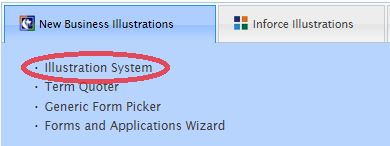
Once you have logged in, click on 'Illustration System' under the 'New Business Illustrations' tab.


Choose the product you would like to quote, type in the information for the client and click 'OK.'


If you click on the button to the far right, the Sales Concepts available for the product you selected will then be displayed.


Clicking the green 'Add' button on any Sales Concept will then allow you to add that Sales Concept to your illustration.


The Illustration Development Team
illustrationhelp@kclife.com
1-800-572-2467 x8162
Tuesday, September 3, 2013

New Login Information for www.ikclife.com

Did you know you can now log into ikclife using your existing kclic username and password? 
Simply navigate to www.ikclife.com and type in the username and password you use to access www.kclic.net and you will now be able to log into ikclife without having to create a separate username and password.
If you have an existing username and password for www.ikclife.com that differs from your www.kclic.net username and password, you will still be able to use your existing ikclife username and password to log in.
If you are having trouble logging into ikclife with your kclic username and password, you may contact Field Technology Support at 1-800-572-2467 x8511 or email fieldtechsupport@kclife.com.  For all other login inquiries, please contact us at 1-800-572-2467 x8162 or email us at illustrationhelp@kclife.com.


Illustration Development Team
1-800-572-2467 x8162
illustrationhelp@kclife.com

Wednesday, August 7, 2013

The Inforce Requester

Did you know that you can request inforce policy illustrations at www.ikclife.com?

To request an inforce policy illustration, navigate to www.ikclife.com and click on Inforce Requester.


Fill in the necessary information for your request.

Select "Current" from the dropdown if you would just like a current illustration. If you would like something other than a current illustration, select "Other" and type in a description for your request. Be sure to fill in all necessary information so we can contact you if needed.

Once you have filled in all of the information click "Submit Request."  If the request is for a current illustration and the policy is assigned to you as the Agent, when possible, the illustration will be sent to the email address we have on file within seconds.  If the request involves manual processing, it will be handled and emailed to you within a few business days.


Illustration Development Team
illustrationhelp@kclife.com

Tuesday, July 16, 2013

Wizards on www.iKCLife.com

There are many Wizards available on iKCLife that are all very useful tools for you! 
 
To access the different Wizards navigate to www.ikclife.com and log in.  If you do not have a login, you can create one by clicking on Create User.
 

Once you have logged in, click on the tab named Wizards.
 
 
This will bring up the list of available Wizards.
 
 
If you have any questions on how any of the Wizards work please feel free to contact us and we will be more than happy to help you!
 
 
Have a Great Day,
 
The Illustration Devoplement Team
1-800-572-2467 x8162


Thursday, June 27, 2013

New Product Guide

A new Product Guide is now available on both the Desktop and Online Illustration Systems.


To access the new product guide online, log in at www.ikclife.com.  If you do not have a login, you can create one by clicking on Create User.


  Once you have logged in, click on Illustration System under the New Business Illustrations tab.


The new Product Guide can then be accessed by clicking on the book at the top of the screen.


To access the new Product Guide on the desktop version of the Illustration System, open the Illustration System and click on the book at the top of the screen.


To use the new Product Guide, click on the bookmark at the top left of the screen.  This will break down the products by type.  Click on the product in the list that you would like to view and you will automatically be taken to that page of the Product Guide.


Based on your version of Adobe Reader, you may not initially see the bookmark when you open the Product Guide.  If you do not see the bookmark, place your cursor at the bottom of the first page of the guide and a pop up toolbar will appear.  Click on the Adobe logo and you will then have the option to click on the bookmark at the top left of the page.


Illustration Development Team
1-800-572-2467 x8162

Monday, June 10, 2013

Calculating Pending Policy Premium Changes

After an application is submitted to Underwriting, if a change is made that would affect the premium for the client, the new premium will need to be calculated.
 
For example, if an application is submitted for a Level 20 for a Male, age 48, at Standard Non-Tobacco and after review is then offered at a Table B, the new premium can be calculated using the Desktop or Online Illustration System.
 
The Online Illustration System can be accessed by navigating to www.ikclife.com and logging in.  If you do not have a login, you can create one by clicking on 'Create User.'


Once you have logged in, click on 'Illustration System' within the 'New Business Illustrations' tab.


This will bring up the Online Illustration System.  To calculate the new premium, enter in the information for the client:

 
Since the policy is being offered at Table B, we will need to add in the table rating.  We will add this as a '2' in the box highlighted below.  A table rating of '1' corresponds to a Table A, a table rating of '2' corresponds to a Table B, and so on.  Entering in the table rating for the Level 20 will automatically display the new premium in the premium box on the left. 


While term quotes automatically display the premium upon entering in the client information, Universal Life quotes give you the ability to calculate the premium since the premium is flexible with these type of products.
 
Let's take the same information used before, but assume the client submitted a Supernova Application and, after review, the policy was being offered at Table B. 
 
To calculate the new premium, enter in the information for the client, including the Table B rating.  Since premium is flexible with the Supernova, we will need to calculate the new target premium.  To do this, click on the 'C' that is highlighted below.
 
 
When the box comes up, click on 'From Specified Amount' and click the 'C' next to 'Target.'  This will display the new Target Premium based on a Table B rating.  Since premium is flexible, the premium can then be adjusted accordingly so that the policy performs at the level desired.


Illustration Development Team
1-800-572-2467 x8162